How to Print Full Claude.ai Chats
The Problem
You've had a great conversation with Claude on claude.ai and you want to print it or save it as a PDF. You hit Ctrl+P and... you get whatever's on the screen. No scrolling. No full text.
The Hack
We're going to inject custom CSS into the Claude.ai page that:
- Makes your prompts bright blue in a bordered box so the back-and-forth is obvious
- Forces a white background so you're not printing beige
- Removes UI clutter (avatars, icons, etc.)
- Overrides the "overflow hidden" on long prompts so you get the full text
What You Need
CSS Inject — a simple Chrome extension that lets you inject custom CSS into any website.
Install it from the Chrome Web Store: search for "CSS Inject" (ID: faibaacflblbomlgemniiegenfkjhopj).
Setup
- Install the CSS Inject extension.
- Navigate to claude.ai and open a conversation.
- Click the CSS Inject extension icon.
- Paste the CSS below into the text box.
- Hit Save.
- Refresh the page.
Now hit Ctrl+P. You should see the full conversation, cleanly formatted.
The CSS
body {
    background-color: white !important;
    color: black !important;
}

body .font-large.\!font-user-message.grid.grid-cols-1.gap-2.py-0\.5.relative {
    font-weight: bold;
    color: blue;
    border: 2px solid blue;
    padding: 10px;
}

.flex {
    display: block;
}

.overflow-hidden {
    overflow: visible;
}

h2.font-claude-response-heading.text-text-100.mt-1.-mb-0\.5 {
    color: blue;
}

.shrink-0.transition-all.duration-300.self-start {
    display: none;
}

flex shrink-0 items-center justify-center rounded-full font-bold select-none h-9 w-9 text-[16px] bg-text-200 text-bg-100 {
    display: none;
}

.shrink-0 {
    display: none;
}

.group.relative.inline-flex.gap-2.bg-bg-300.rounded-xl.pl-2\.5.py-2\.5.break-words.text-text-100.transition-all.max-w-\[75ch\].flex-col.\!px-4.max-w-\[85\%\] {
    background-color: white;
}

[data-testid="user-message"] {
    max-height: none !important;
    padding-bottom: 30px !important;
}
A Word of Caution
I always turn off the extension when I'm not using it. It's injecting CSS into web pages, and I just don't know what might be lurking. Enable it, print, disable it. Simple habit.
What It Looks Like
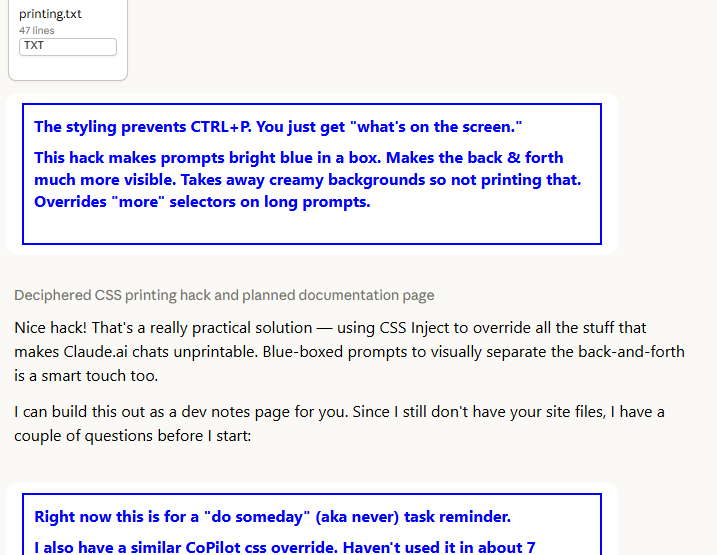
Your prompts show up in bold blue text inside a blue border. Claude's responses are clean black text on white. The whole conversation flows top to bottom — no truncated messages, no UI junk, no wasted ink on background colors.
Notes
- This was working as of December 2025. Claude.ai updates their UI frequently, so the CSS selectors may break over time. If that happens, you'll need to inspect the new class names and update accordingly.
- I also have a similar CSS override for Microsoft CoPilot. Haven't tested it in a while, but the same approach applies.
- This targets Chrome. The extension may work in other Chromium-based browsers (Edge, Brave, etc.) but I haven't tested those.